> For the complete documentation index, see [llms.txt](https://docs.surgeprotocol.io/llms.txt). Markdown versions of documentation pages are available by appending `.md` to page URLs; this page is available as [Markdown](https://docs.surgeprotocol.io/guides/surge-charts.md).
# Surge Charts
### Update: Surge has been integrated by GeckoTerminal.
{% hint style="info" %}
Please visit below links for a better charting experience for $SRG:
$SRG BSC:
$SRG ETH:
{% endhint %}
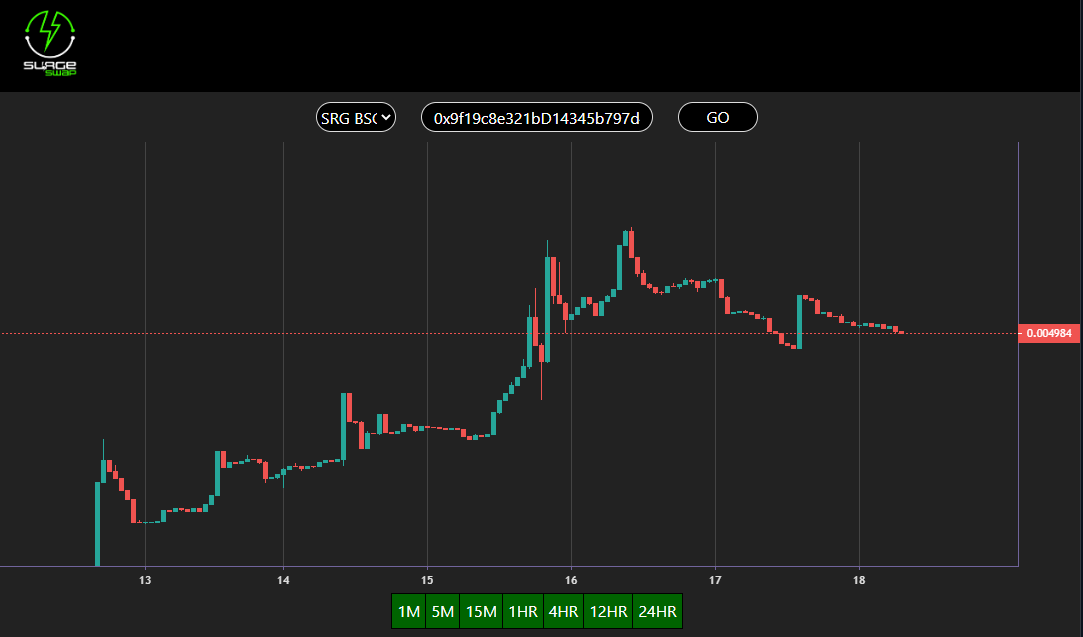
### Visit the Chart here: [https://chart.surgeprotocol.io](https://chart.surgeprotocol.io)
* Use the dropdown menu to choose between $SRG on BSC, ETH or Testnet
* If you like to see the chart of an SRG20 token, please paste the address
* If you would like to change the viewed token, please refresh the page and repeat the process from the start.
## Update log:
Update 1.1.1
* Added Arbitrum support
Update 1.1
* Removed the need to connect your wallet! Choose the chain you want to see from the dropdown menu!
* Added dropdown menu for $SRG on BSC, ETH, and Testnet
* Resizeable window
* The chart will now adapt to your window if you change the size on PC/Mac. This feature will still be improved!
* Auto updating charts
* No more need to refresh the chart, grab a snack and watch the price changes in real time!
* Added time frames!
* See the chart in different intervals! 1M 5M 15M 1HR 4HR 12HR and 24HR are the options you will see below the chart!
* Added support for all mobile browsers!
* Surge Charts is no longer limited to MM or TW!
* Major UI improvements for mobile!
* Show us those beautiful screenshots!
Release 1.0
* MASSIVE speed upgrade! The chart will now load in a few seconds!
* Added support of SRG20 tokens
Release 0.1
* Basic view of the chart of $SRG